Authorization of Request
Authorization is done via headers with included "Authorization" header with access token:
Authorization: Bearer {{Access Token}}
Access Token can be retrieved from API by Grant Type Authorization Request.
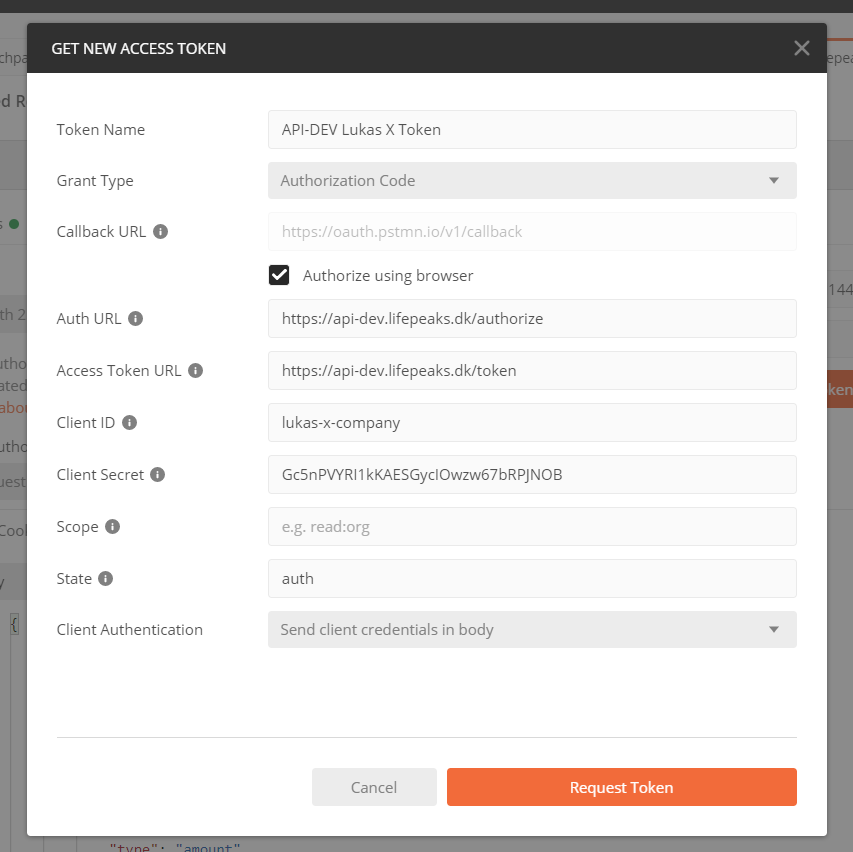
(example from Postman)
Callback URL is the url where will be user redirected after successful login.
| Setting | Live | Developer version |
|---|---|---|
| Auth URL | https://api.lifepeaks.dk/authorize | https://api-dev.lifepeaks.dk/authorize |
| Access Token URL | https://api.lifepeaks.dk/token | https://api-dev.lifepeaks.dk/token |
State parameter can be anything and is required, more info https://auth0.com/docs/protocols/state-parameters
Grant types
Three grant types are enabled. There is no client_credentials grant.
grant_type | Additional fields | Used for |
|---|---|---|
password | username, password | Server-to-server integrations. See Authorization via curl. |
authorization_code | code, redirect_uri | Browser flows that send the user through /authorize. |
refresh_token | refresh_token | Exchanging a refresh token for a new access token. A new refresh token is issued every time. |
client_id and client_secret are required for all three. They can be sent in the form body, or as HTTP Basic auth.
Access tokens are valid for 86400 seconds (24 hours). Refresh tokens expire after 1209600 seconds (14 days).
Endpoints
| Endpoint | Purpose |
|---|---|
POST /token | Exchange credentials for an access token. Also reachable as POST /oauth2/token. |
POST /oauth2/revoke | Revoke an access or refresh token. Takes token and an optional token_type_hint. |
GET /authorize | Browser entry point for the authorization code flow. Redirects to /login when no session exists. |
GET /login | Login form for the authorization code flow. Posting valid credentials continues the authorize request. |
GET /logout | Ends the browser session. |
The full request and response shapes are in the v1 API reference.
Idempotency
Every response carries an X-Request-Guid header. Sending that value back as the X-Request-Guid request header on a retry replays the recorded response instead of executing the action twice. See Data.
Company credentials
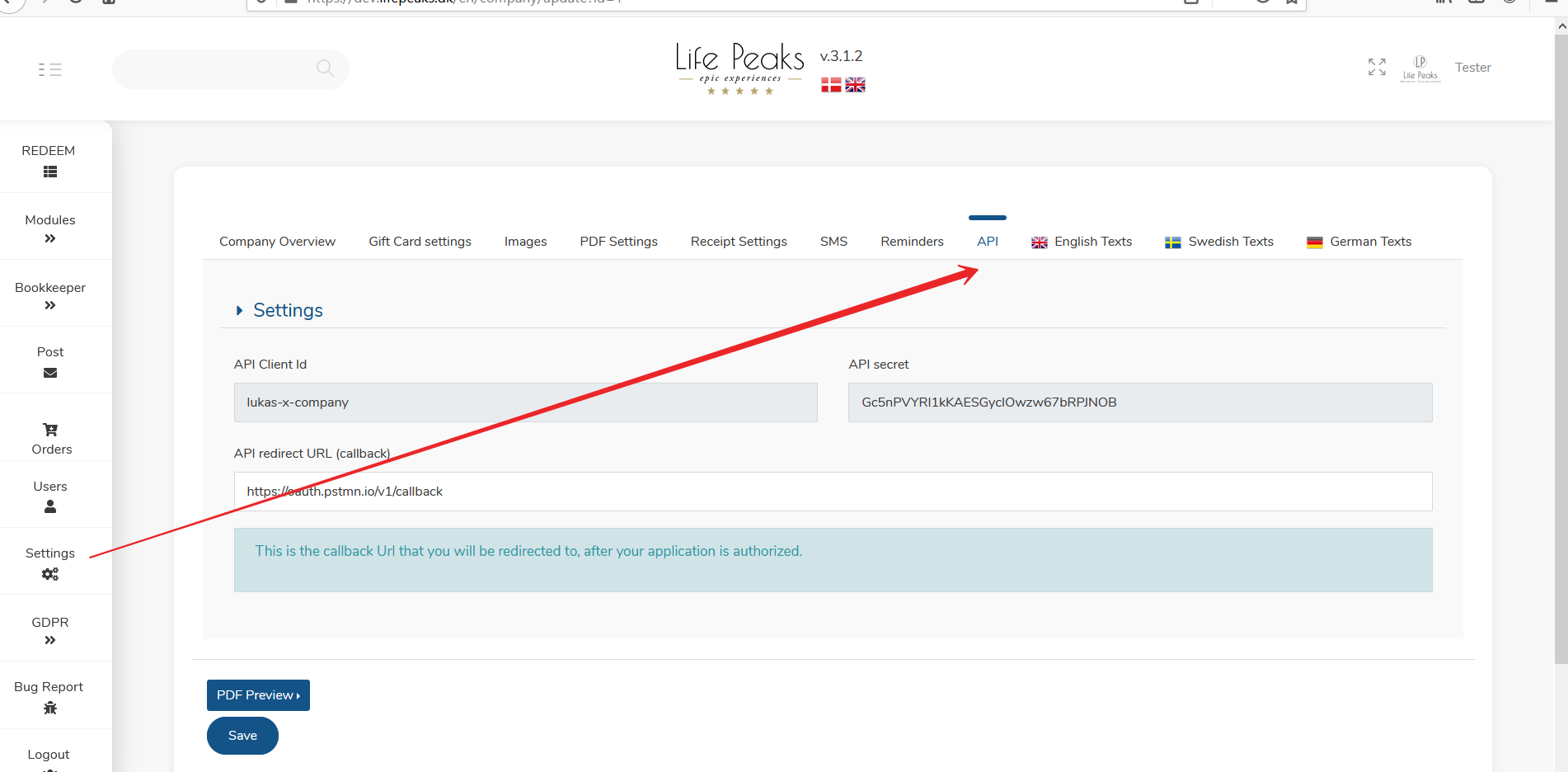
API Client ID and API secret can be found in company settings in Super admin users. You will need to fill in also API redirect (callback) URL in company settings.
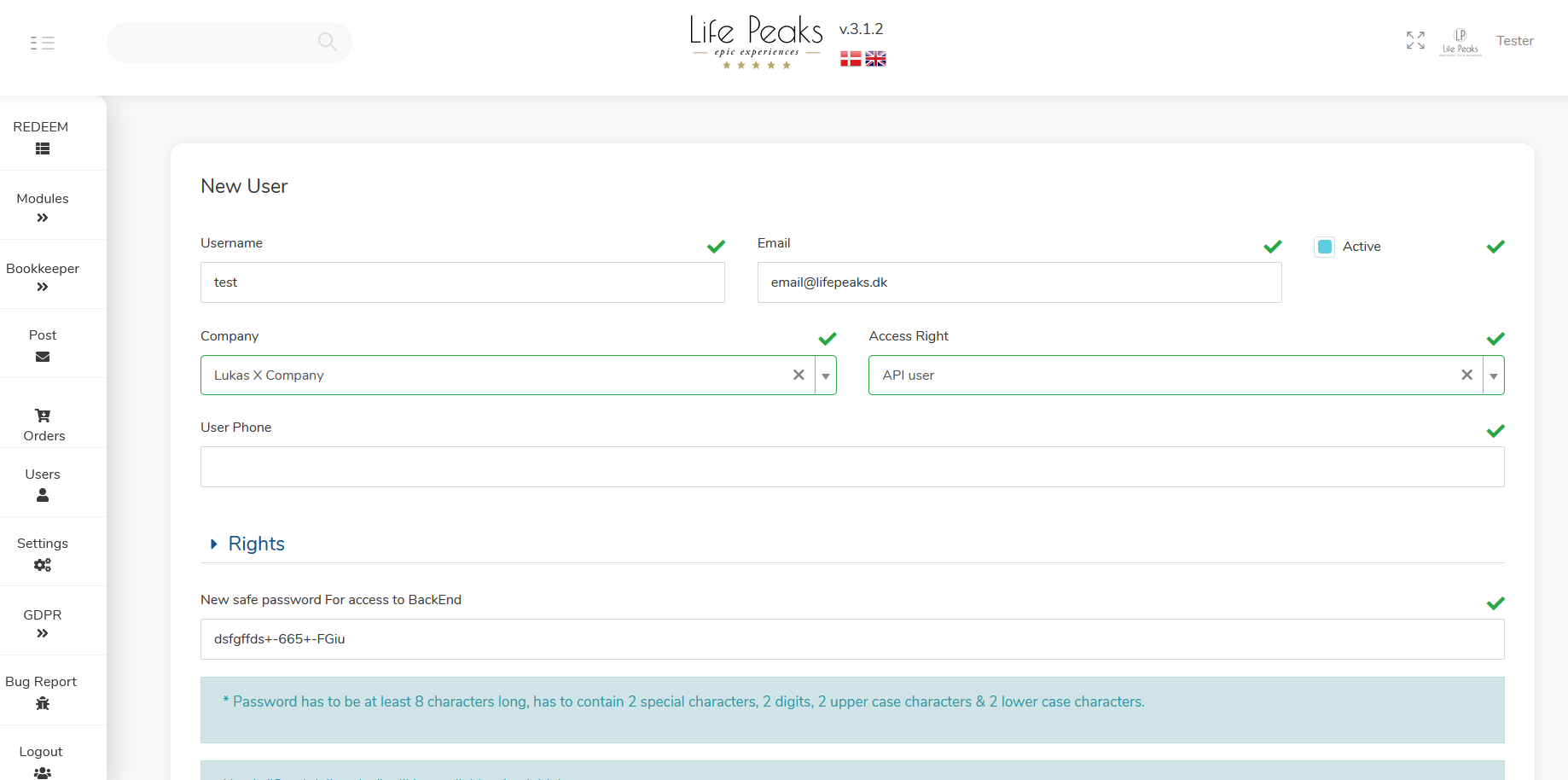
API users
You will need an user with the user right API user for accessing API. Super admins can create API users as other users in Users Admin. Every company can have more users: one for POS, another for website, another for affiliates, etc.